 Paylark
Know what you earned, what you're owed and what to save for tax.
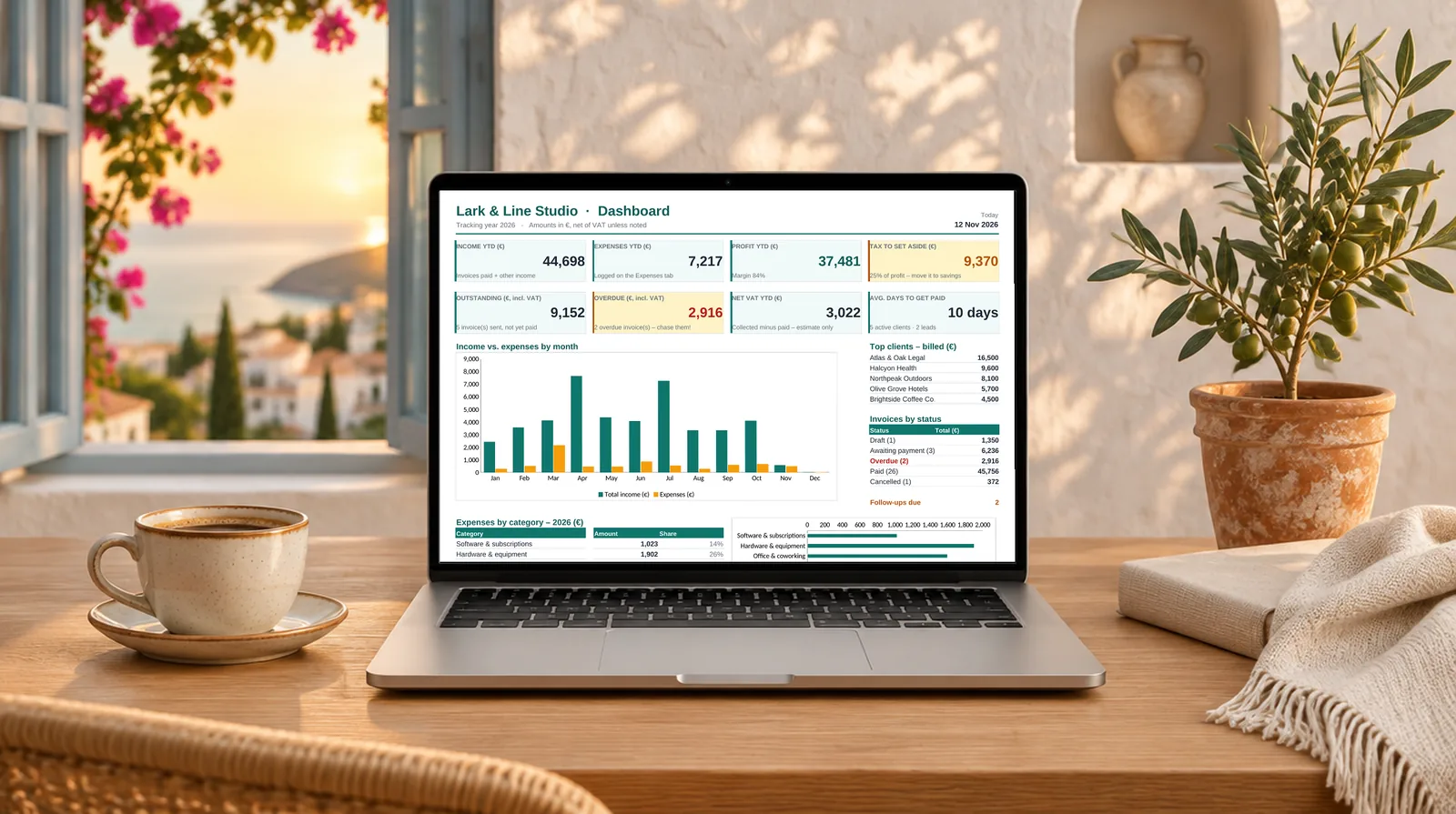
Paylark is one tidy spreadsheet for your invoices, expenses and clients, with a dashboard that updates as you work. Works in Excel and Google Sheets.
- Excel + Google Sheets
- No subscription
- Any currency
- No macros
Sound familiar?
Freelance money admin is scattered everywhere
Invoices in one folder, receipts in your inbox, clients in your head, and a nasty surprise when the tax bill arrives.
“Has that invoice been paid?”
Without a single list, late payments slip through and you end up chasing clients weeks too late, or not at all.
Tax time panic
You earned it, but how much of it is actually yours? If you don't set tax aside as you go, the bill hurts.
Software you don't need
Accounting apps charge every month for features a solo freelancer never uses. You just want clear numbers.
Features
Everything a one-person business needs. Nothing it doesn't.
Nine connected tabs. Fill in your details once, then just log your work. The formulas handle the rest.
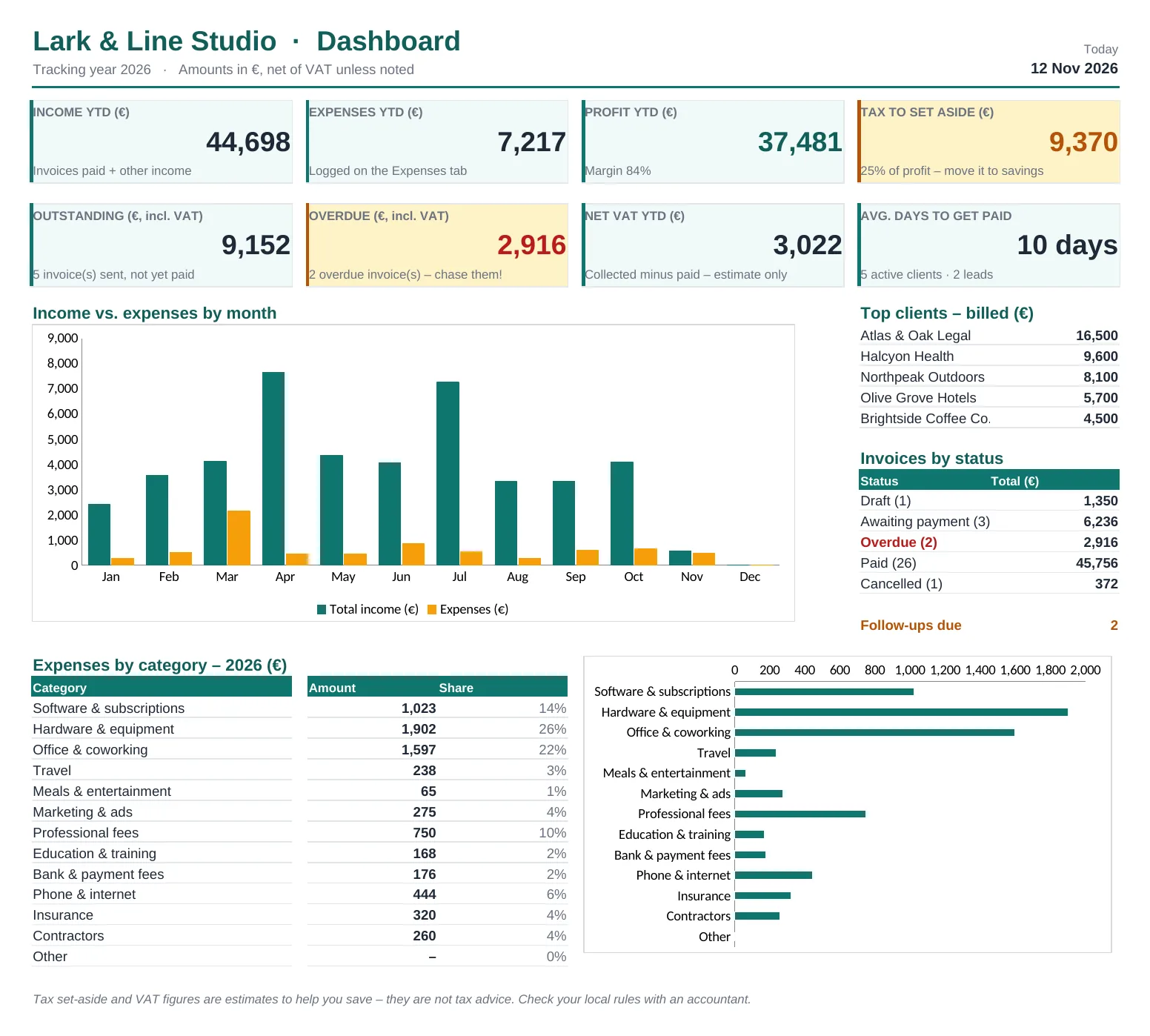
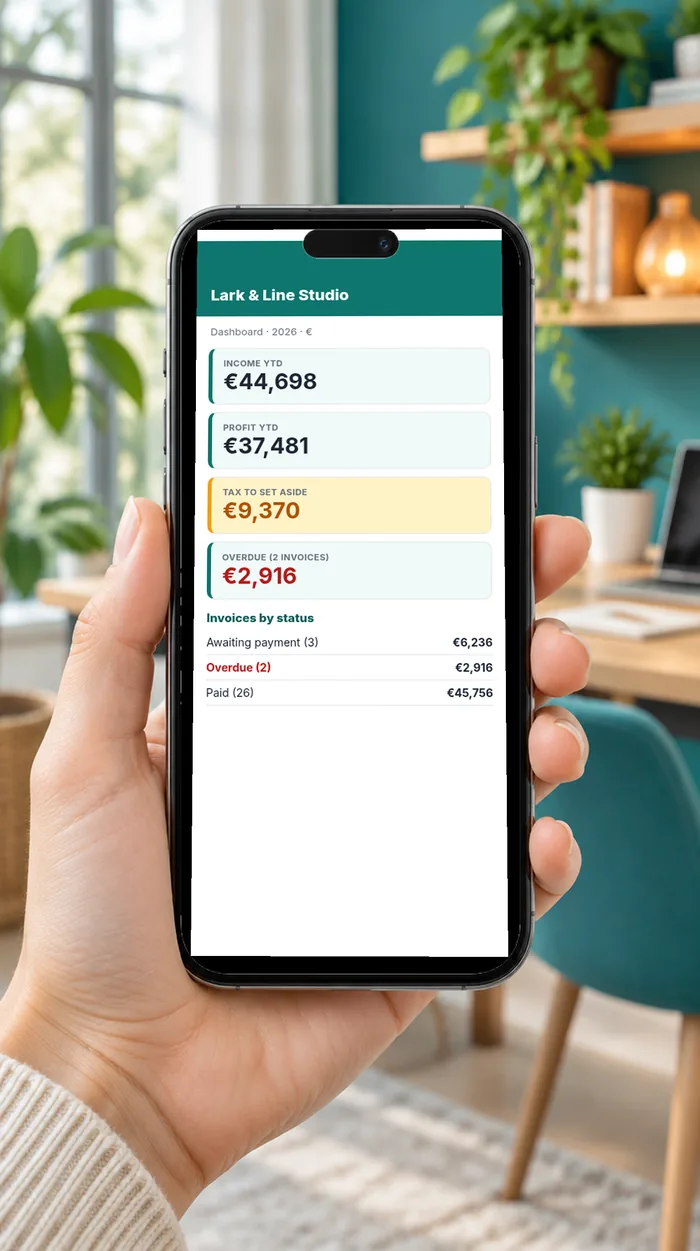
A dashboard that answers “how am I doing?”
Open it and see your year at a glance. Nothing to build or refresh.
- Income, expenses and profit year-to-date
- How much to set aside for tax, at your own %
- Outstanding and overdue invoices
- Monthly income vs. expenses chart
- Top clients, expenses by category, average days to get paid
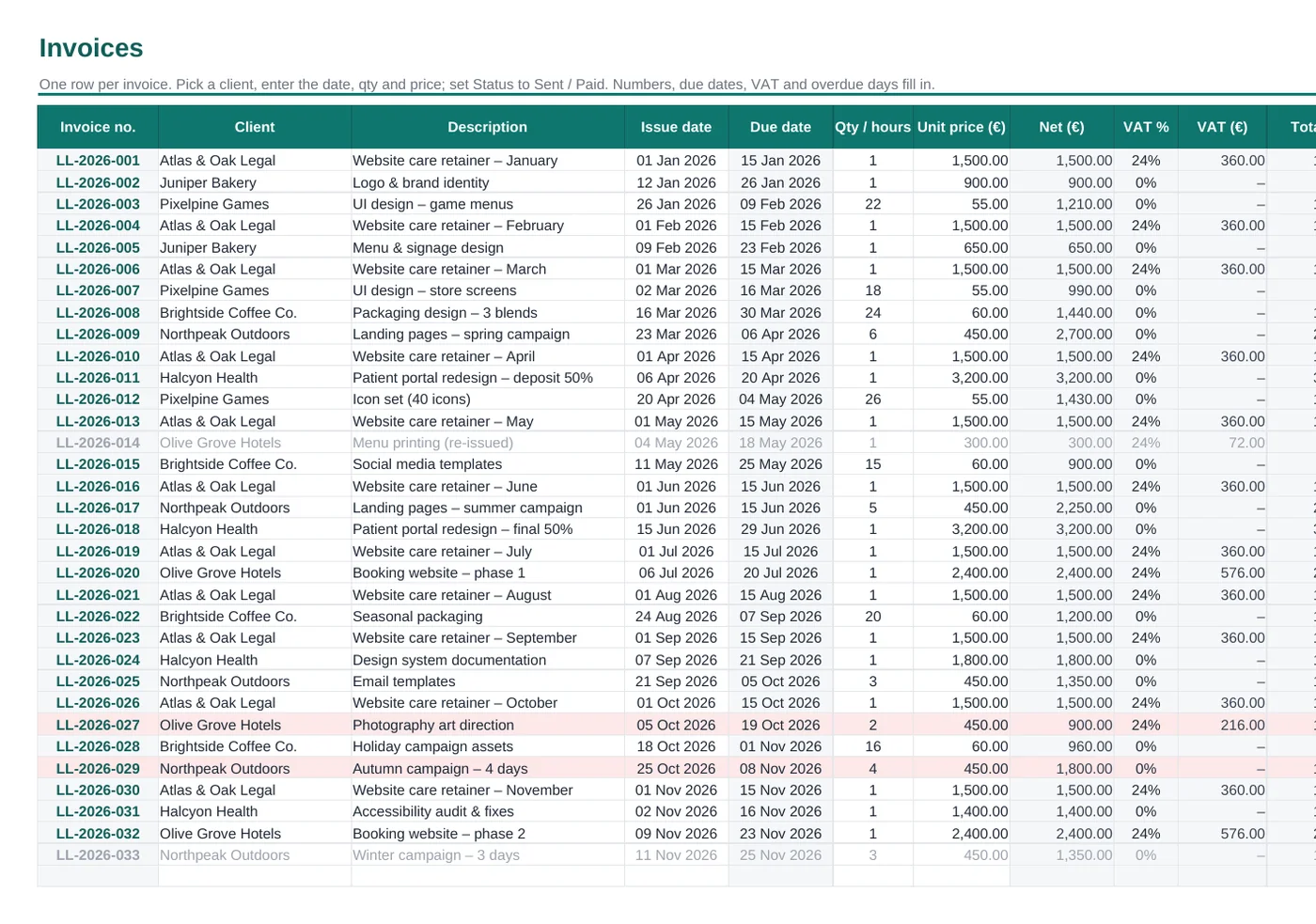
Invoice tracking that flags late payers
Pick a client, enter the date, quantity and price. The invoice number, due date, VAT and total appear automatically.
- Automatic numbering with your own prefix
- Due dates from your payment terms
- Draft → Sent → Paid workflow
- Overdue invoices turn red and count the days
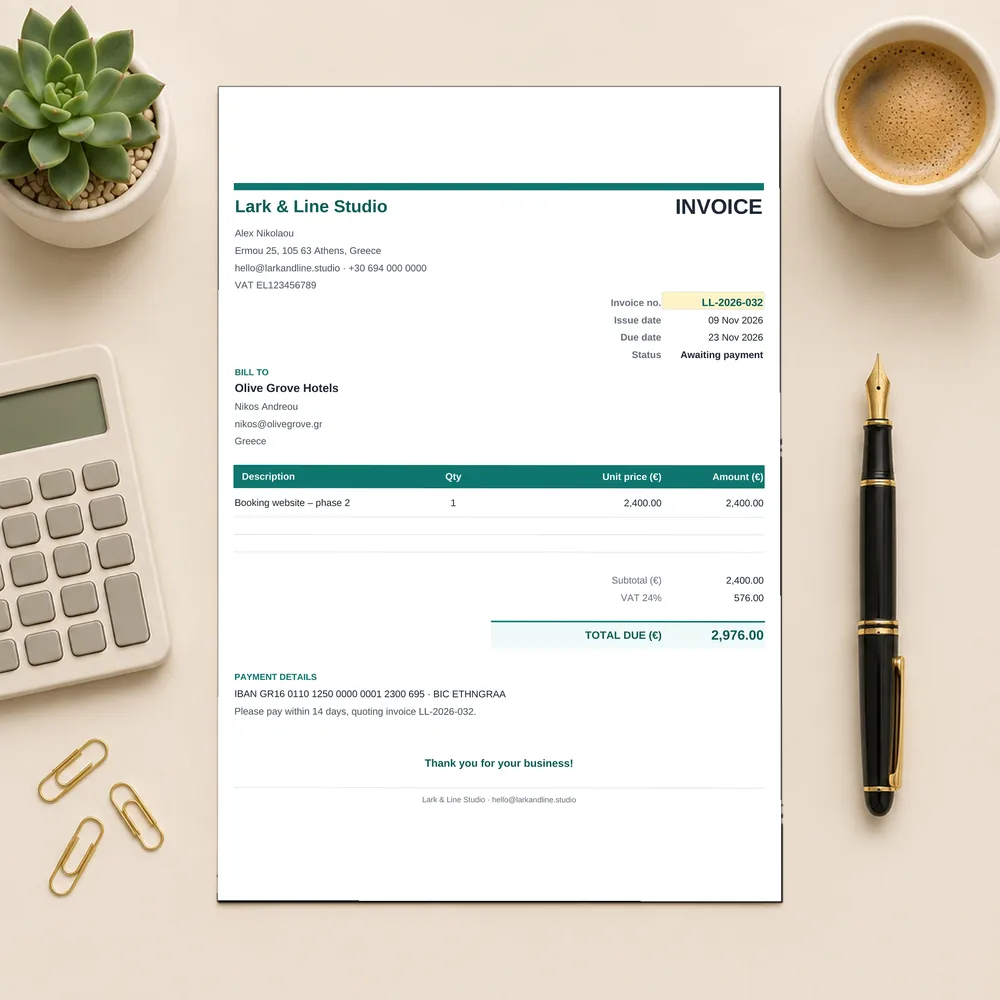
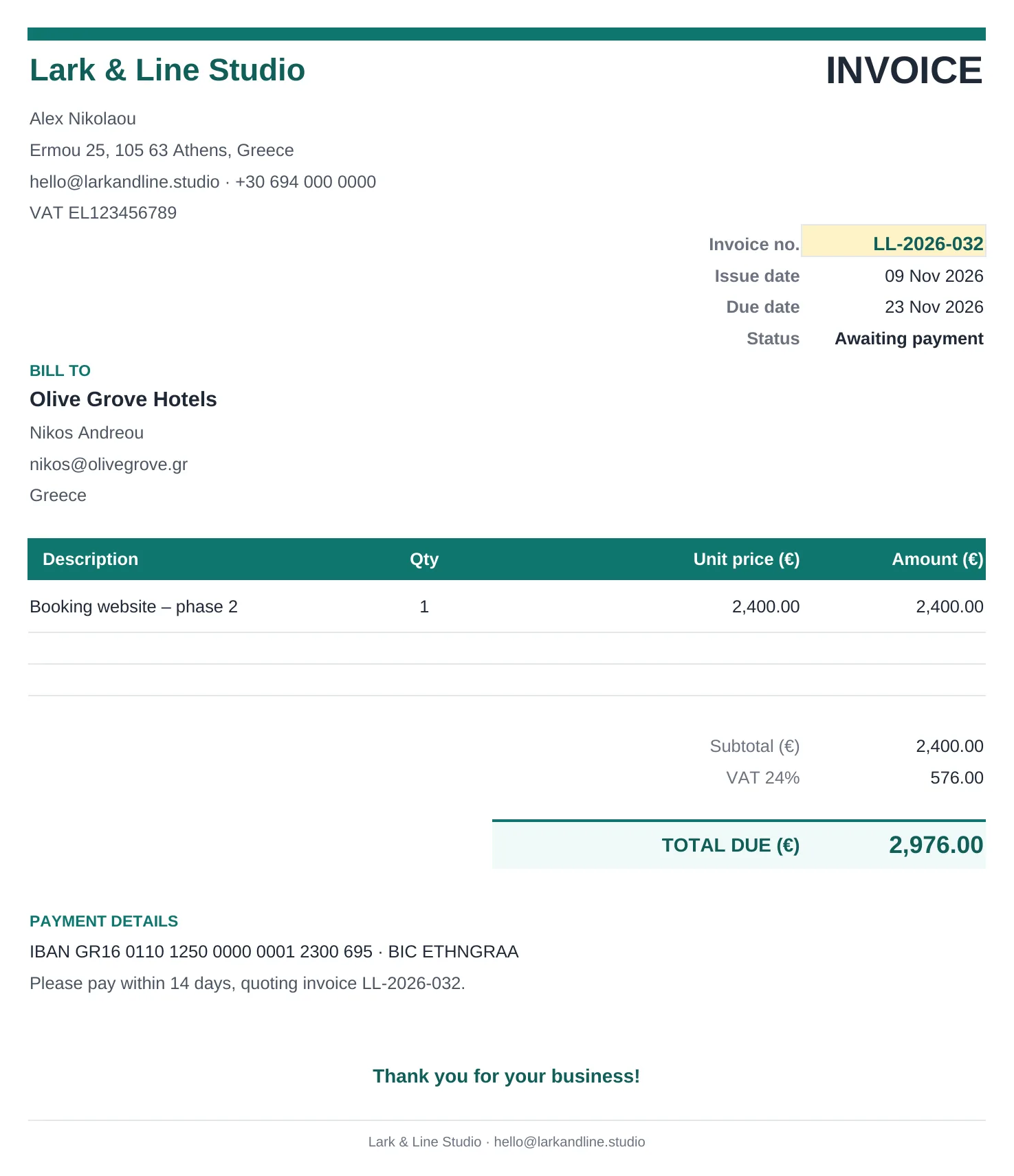
Professional invoices in two clicks
Choose an invoice number and the printable invoice fills itself in: your details, the client's, the line item, VAT, total and bank details. Save it as a PDF and send.
- Clean, print-ready A4 / Letter layout
- VAT or sales tax handled (or set it to 0%)
- Your payment details on every invoice
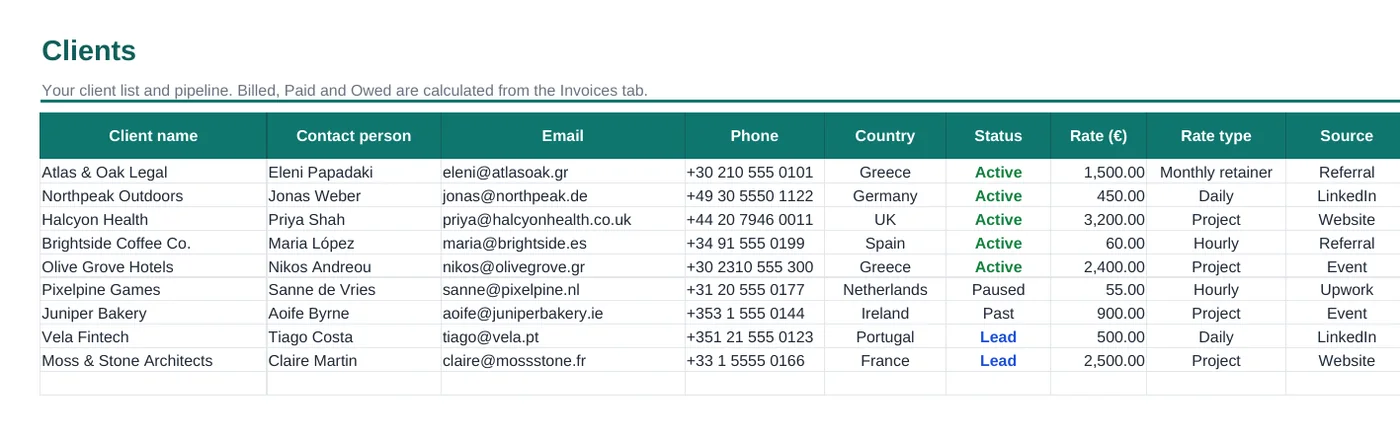
A simple client CRM
Keep leads and clients in one list, with status, rate, source and a follow-up date that turns orange when it's due. See how much each client has been billed and still owes.
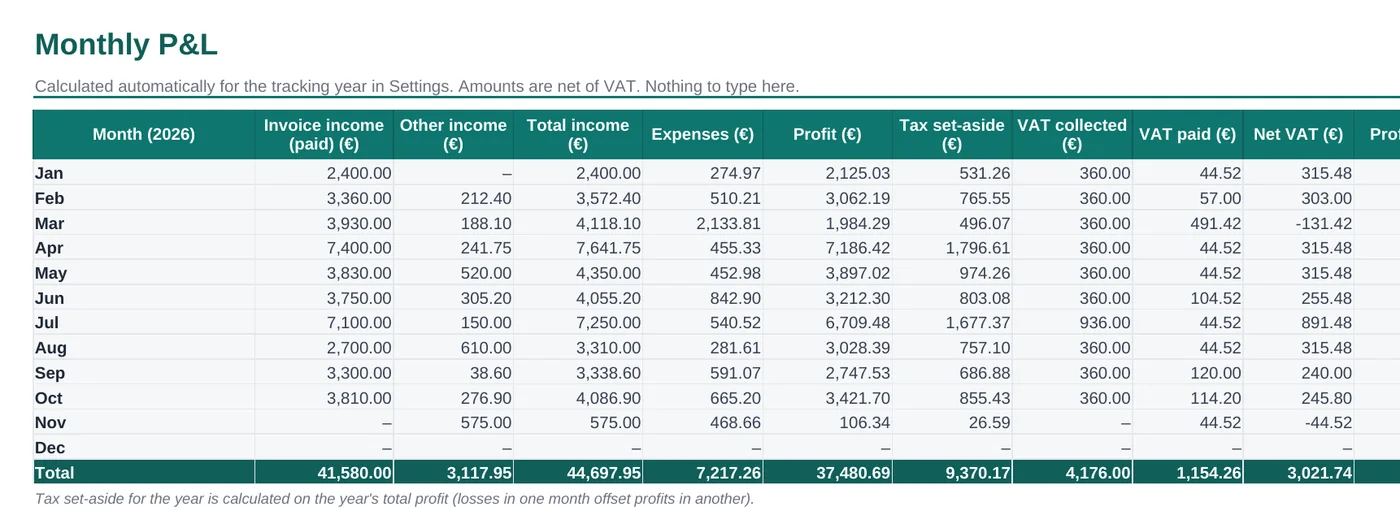
Expenses, monthly P&L and tax set-aside
Log costs with categories from a dropdown. The Monthly P&L shows income, expenses, profit, VAT and tax set-aside for every month, plus a category-by-month expense table for tax time.
How it works
Set up in 10 minutes
Download
Get the files instantly after checkout.
Open
In Excel, or upload to Google Drive and open with Google Sheets.
Fill in Settings
Name, currency, tax %, VAT rate, payment terms.
Log your work
Add clients, invoices and expenses. Watch the dashboard fill up.

What's inside
Everything you get for $19
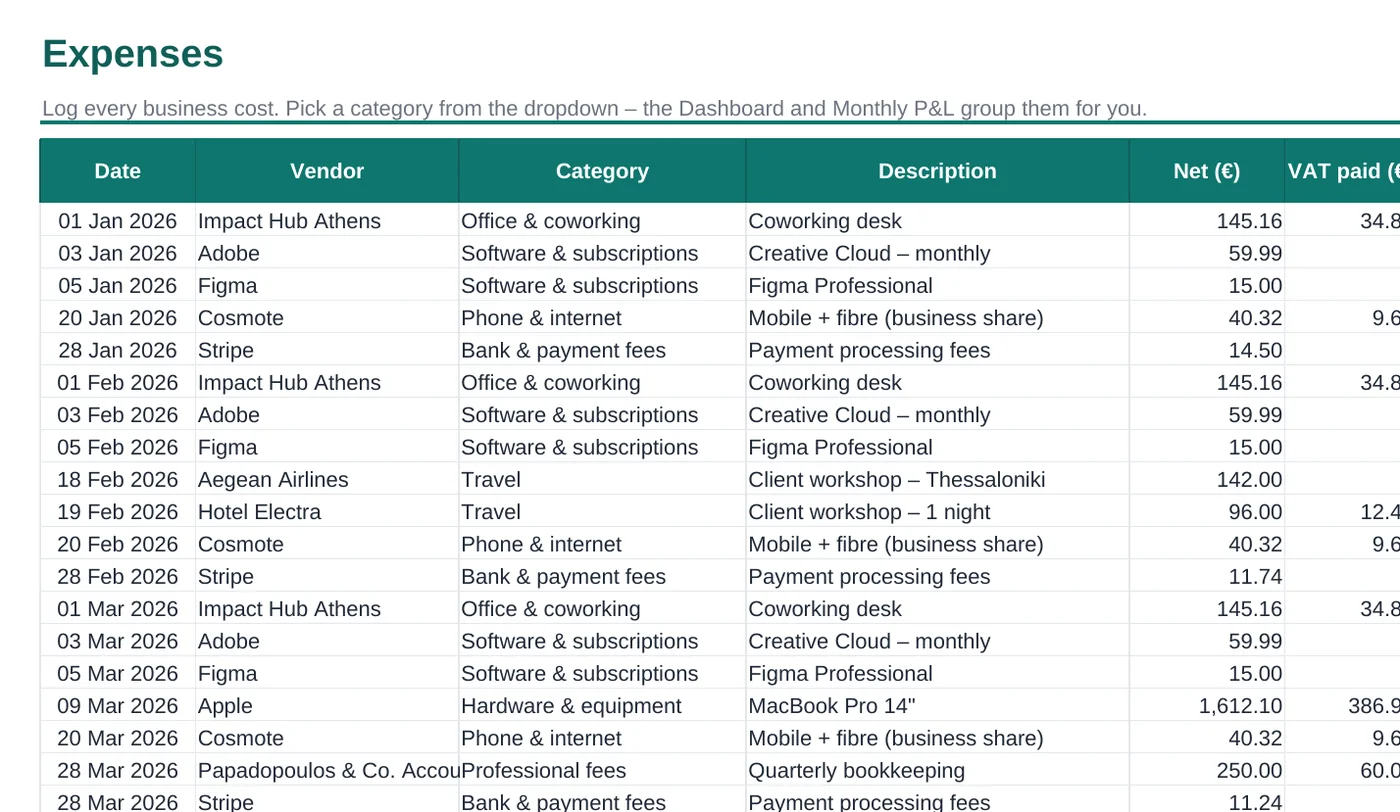
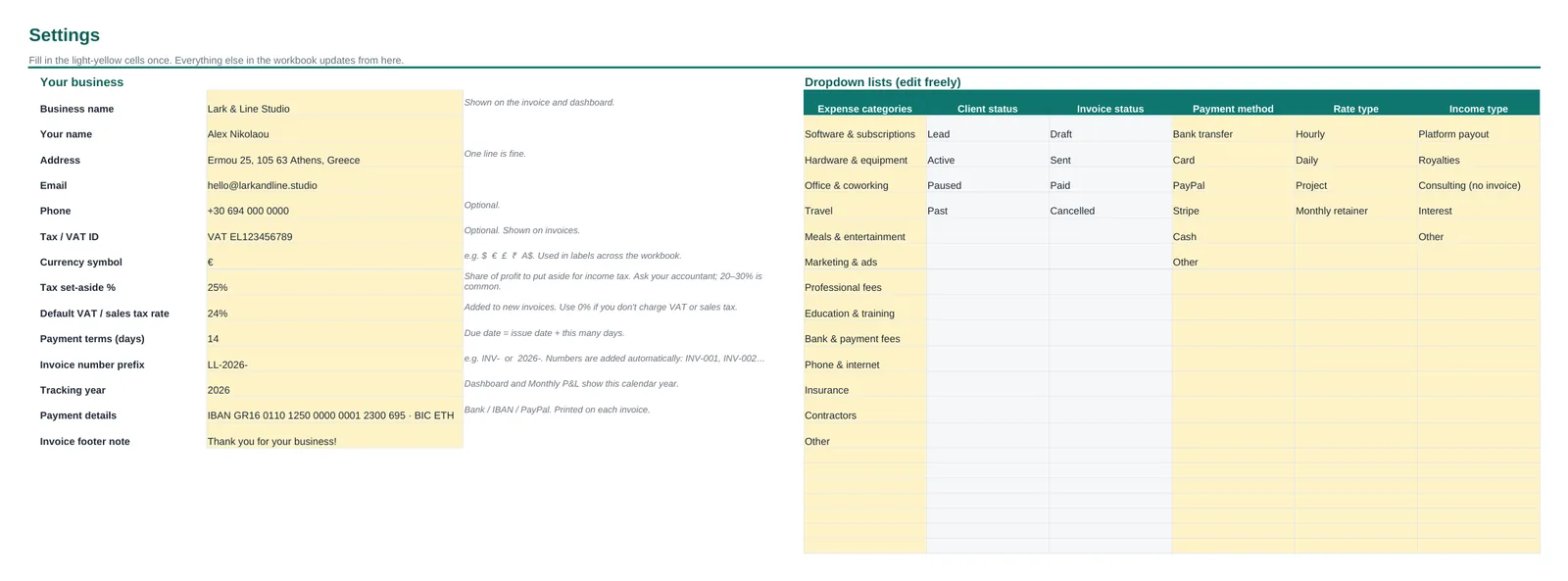
- 📊Paylark tracker (.xlsx), with sample dataSee every feature working before you add your own numbers.
- 📄Blank version (.xlsx)A clean copy ready for your business.
- 📘7-page PDF setup guideStep-by-step with screenshots, plus FAQ and troubleshooting.
- 🗂️9 connected tabsStart Here, Settings, Dashboard, Clients, Invoices, Invoice, Income, Expenses, Monthly P&L.
- 🌍Any currency, VAT or sales taxSet your symbol and rates once. Use 0% if you don't charge VAT.
- Excel & Google Sheets
- Instant download (ZIP)
- No subscription, no account needed
- Free updates to version 1.x
- 14-day money-back guarantee
Secure checkout by Whop. Cards, Apple Pay, Google Pay, PayPal & more. Taxes may apply.
FAQ
Questions, answered
Does it work in Google Sheets and Excel?
Yes. Paylark is built with standard functions only (SUMIFS, COUNTIFS, INDEX/MATCH), with no macros or scripts, so it works in Microsoft Excel 2016 or later (Windows and Mac, including Microsoft 365) and in Google Sheets. Upload the .xlsx to Google Drive and open it with Google Sheets. Formulas, dropdowns, colour highlights and charts all carry over.
How do I get the files?
Instantly. Checkout is handled by Whop. Right after paying, open Paylark Download in your Whop account (whop.com/hub) to download the ZIP with the tracker (sample and blank versions) and the PDF setup guide. Whop also emails you a link.
Is this a subscription?
No. You pay $19 once and the file is yours to use in your business for as long as you like.
Can I use my own currency?
Yes. Type your currency symbol in Settings ($, €, £, ₹, A$…) and it shows across the workbook.
I don't charge VAT or sales tax. Is it still for me?
Absolutely. Set the VAT rate to 0% and the VAT columns stay empty. If you do charge VAT, you can change the rate per invoice (e.g. 0% for reverse-charge clients) and see an estimate of net VAT.
How is the tax set-aside calculated?
It's your year-to-date profit multiplied by the percentage you choose in Settings. It's a savings guide to help you avoid surprises, not tax advice. Your accountant can tell you the right percentage.
Do I need spreadsheet skills?
No. You type into the white cells and pick from dropdowns. The grey cells calculate themselves. The setup guide walks you through everything with screenshots.
How many clients and invoices does it hold?
100 clients, 300 invoices, 300 income entries and 500 expenses per file, which is plenty for most freelancers' year. You can extend it by copying rows down.
What if it's not right for me?
Message us through Whop support within 14 days of purchase and we'll refund you. See the refund policy.
Get your freelance money sorted this week
One spreadsheet, ten minutes of setup, and you'll always know where you stand.
Get Paylark – $19